Online exam software with papers, tests and instant results
Build a question paper by hand or let ClassTotal pick questions for you, schedule it for a batch, and let students answer from their portal. Objective questions are marked automatically and results are ready the moment the test ends.
Free for up to 100 students · No credit card · Made in India
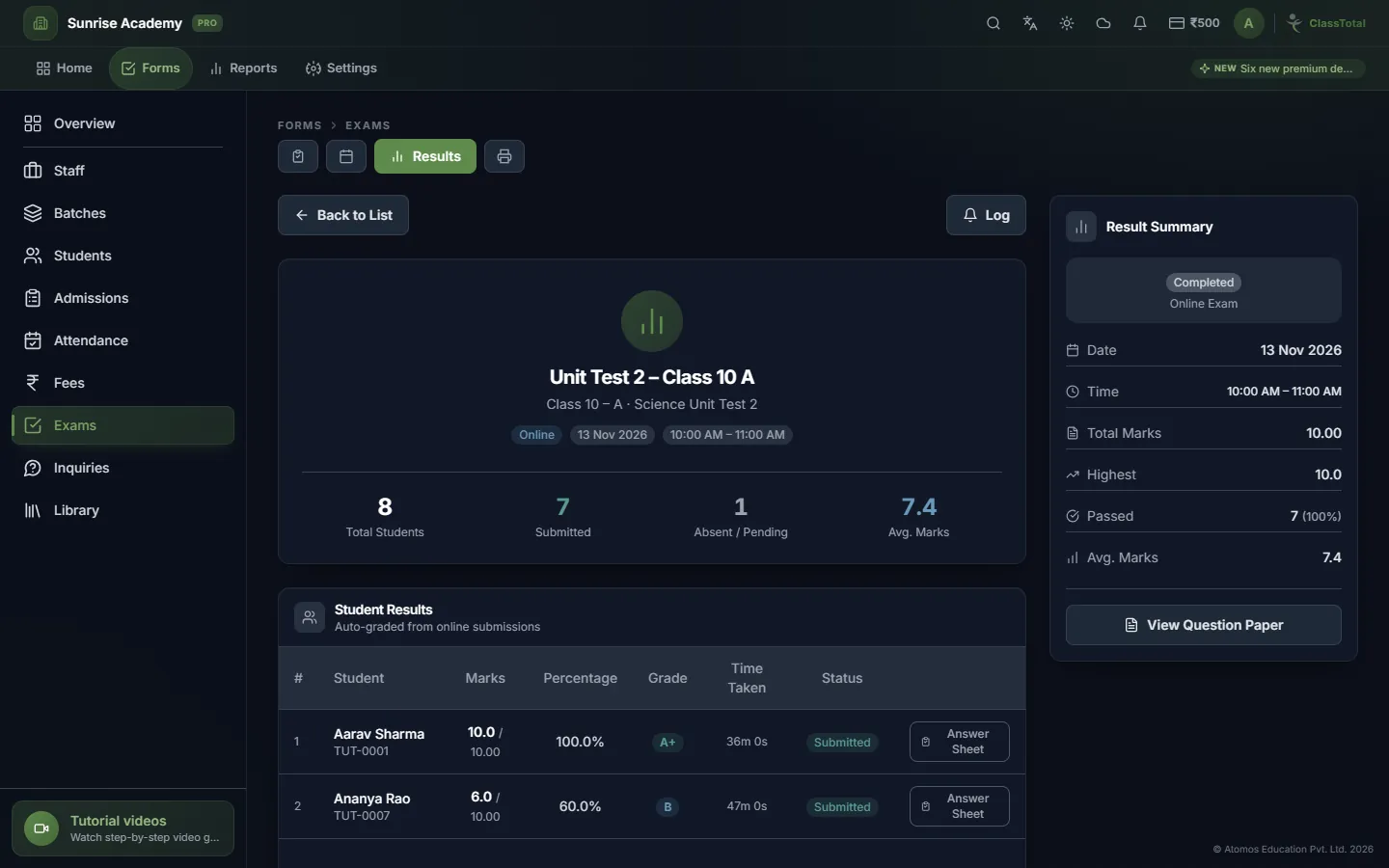
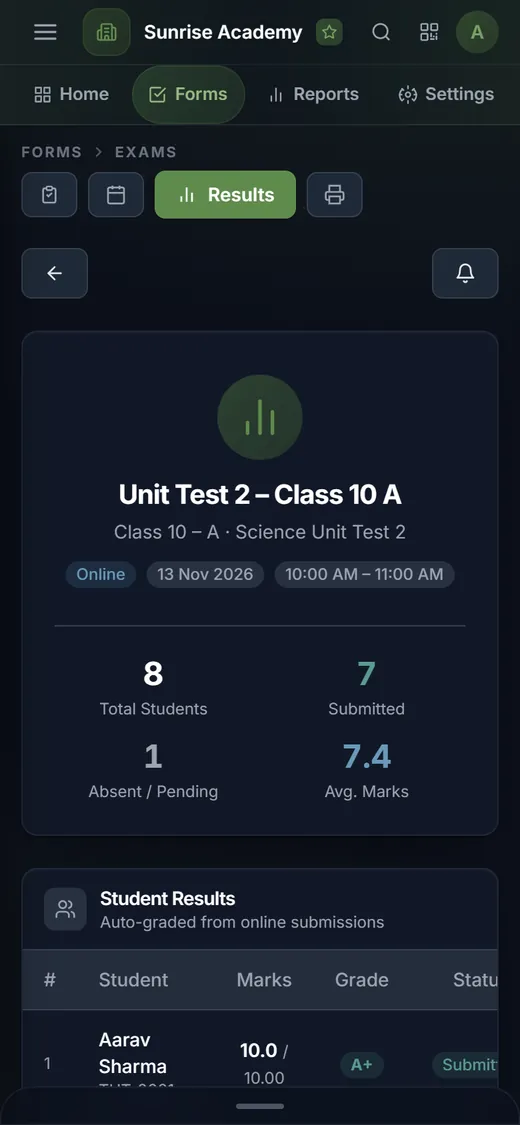
From question paper to result
One module covers the paper, the schedule, the test and the marks — online or on paper.
Question papers
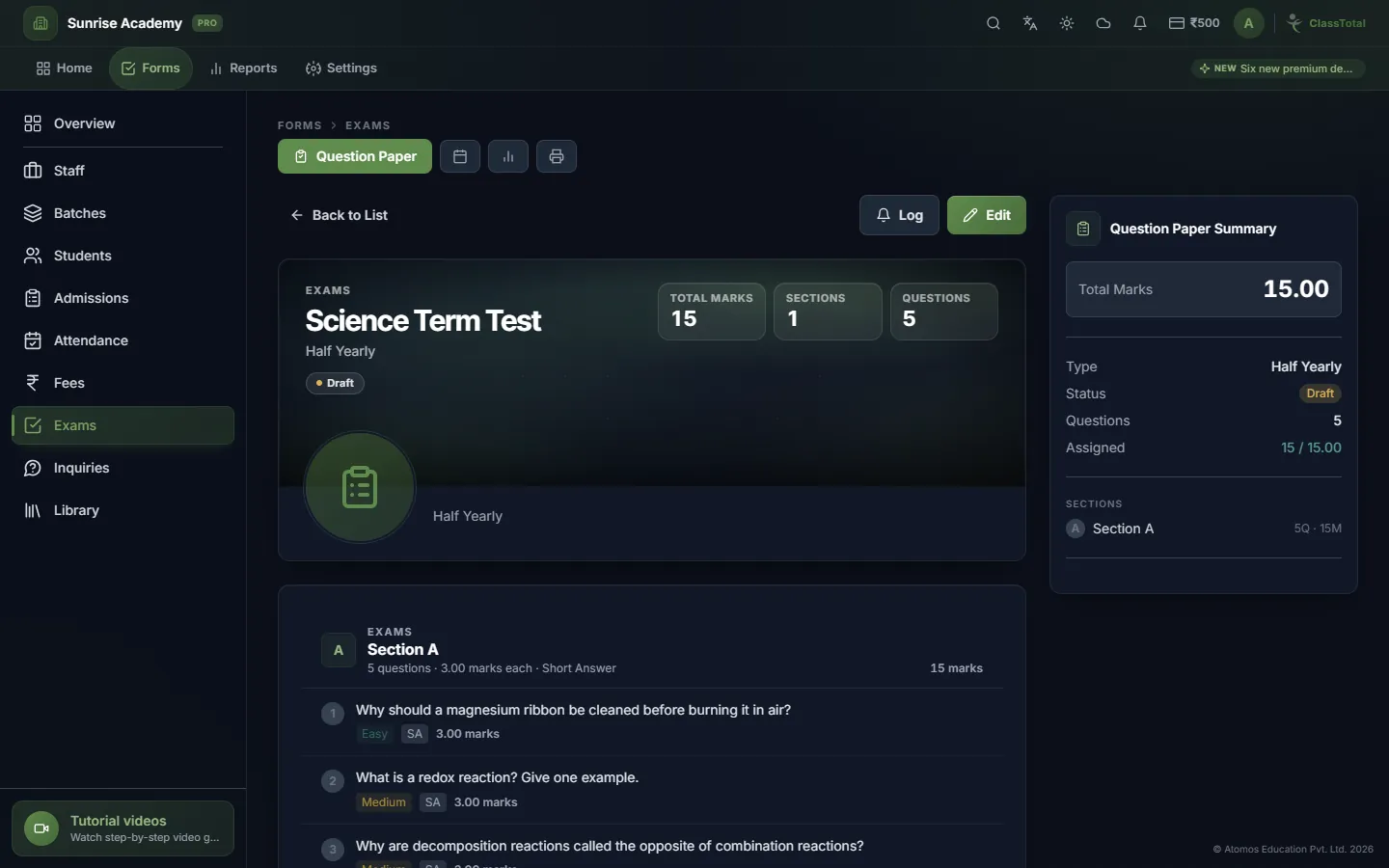
Write your own questions or choose them from the ready-made question bank by board, standard, subject and chapter.
Auto-generated papers
Tell ClassTotal how many questions you want of each type and difficulty, and it builds a balanced paper for you.
Scheduled for a batch
Pick the batch, date and time. Students see the exam in their portal and can start it only in that window.
Automatic marking
Multiple-choice, multi-select and true / false answers are marked the moment the student submits.
Print the paper
Prefer pen and paper? Print the question paper and a separate answer key with your institute's name and logo.
Results and analysis
See marks, percentage and grade for every student, open any answer sheet, and find the questions most students got wrong.
Know what your students actually learned
Results feed three reports: batch-wise results with toppers and score bands, each student's history across exams, and an item analysis that shows the hardest questions.
- Six question types: MCQ, multi-select, true / false, one-sentence, short and long answer
- Ready-made question bank you can pick from
- Students take the test from their own portal login
- Printable question paper and answer key
- Batch-wise results, student history and item analysis reports
- Result notifications to students
Three steps
Build the paper
Add questions yourself or let ClassTotal generate a paper from the question bank.
Schedule the exam
Choose the batch, date and time. Students see it in their portal.
Read the results
Objective answers are marked at once; marks, grades and analysis are ready.
Online Exam Software questions
Can students take exams online from home?
Yes. Students log in to their portal on your institute's web address and take the exam in the scheduled time window, on a phone or a computer.
Are answers checked automatically?
Objective questions — multiple-choice, multi-select and true / false — are marked automatically. Written answers are marked by the teacher.
Can I still hold exams on paper?
Yes. You can print the question paper and an answer key, hold the exam offline, and enter the marks afterwards.
Is there a question bank?
Yes. ClassTotal includes a ready-made question bank organised by board, standard, subject, chapter and topic, and you can add your own questions to any paper.
More of ClassTotal
Try it with your own institute — free
Sign up in about a minute. Free for up to 100 students, with no card to enter.
Sign Up FreeExplore the full feature list or compare plans & pricing.